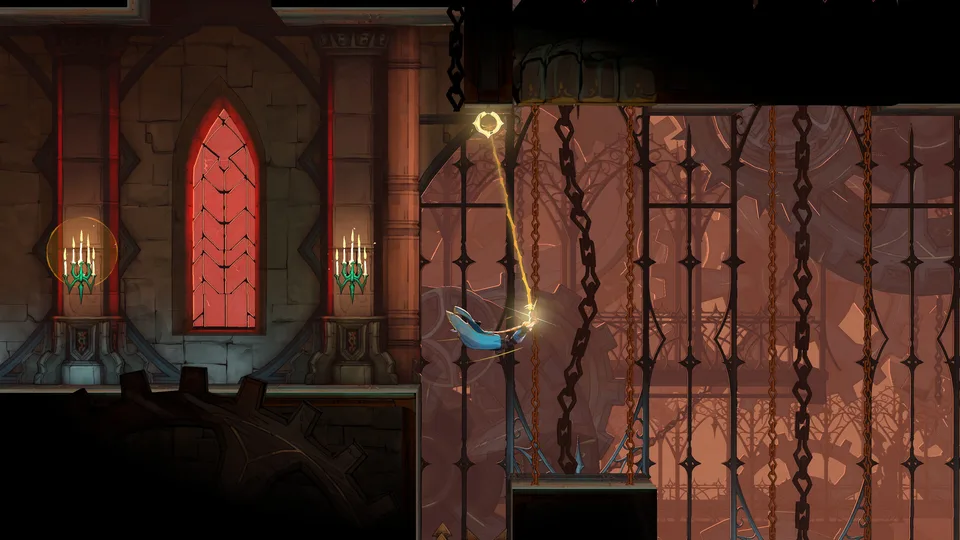
Master the basics of Castlevania: Belmont's Curse with our beginner guide. Discover essential tips, secret codes, and fast travel unlocks today.
Published: Castlevania: Belmont's Curse Wiki Editorial Team
Table of Contents
Essential Introduction to Belmont's Curse
Stepping into the dark, atmospheric streets of a monster-infested France can quickly overwhelm newcomers, making this castlevania belmont's curse beginner guide an essential tool for survival. Whether you are struggling with combat responsiveness or getting lost in the massive layout, mastering the foundational mechanics right away will save you hours of frustration.
Developed by KONAMI and Motion Twin, this atmospheric entry demands precision, careful exploration, and smart resource management from the very first minute. Below, we break down the most crucial adjustments and hidden techniques that every player needs to know before diving deeper into the campaign.
Initial Setup and Quality of Life Tweaks
Before you even step foot outside the opening area, making a few strategic changes to your settings will dramatically improve your overall gameplay experience. According to community reports and early player feedback, the default configuration leaves a lot to be desired in terms of comfort and visual clarity.
Unlock Special Costumes: At the main menu, immediately input the classic Konami code (Up, Up, Down, Down, Left, Right, Left, Right, Circle/X on PlayStation controllers) to instantly unlock Sonia Belmont's alternative outfit.
Remap Your Dodge Button: Navigate to system settings and shift the dodge and interact action from the circle button to R1 or another shoulder button for instantaneous reaction times during intense boss fights.
Adjust Screen Shake: Head into the accessibility menu and drop screen shake intensity down to 0.2 or turn it off entirely to maintain visual stability during heavy combat animations.
Enable High Readability: Turn on the high readability outline option, setting a distinct color like blue for Rose and red for enemies to easily track positions in crowded environments like the clock tower.
Setting Category
Default Option
Recommended Adjustment
Primary Benefit
Dodge Input
Circle / B Button
R1 / RB Shoulder Button
Keeps thumbs on face buttons for instant reactions
Screen Shake
1.0 (Maximum)
0.2 or Disabled
Reduces visual fatigue during heavy combat
Enemy Outlines
Disabled
Enabled (Red/Blue)
Improves clarity in chaotic combat zones
Map Markers
Unused
Active Star / Chest
Prevents aimless backtracking for locked doors
Mastering Navigation and Hidden Fast Travel
As you progress through major locations like the Paris Streets and the Prison Tower, exploring every nook and cranny becomes vital for finding weapons, relics, and stat boosts. However, the game famously omits several quality-of-life explanations, leaving many explorers running in circles.
Tip
According to player experience, many players mistakenly believe the game lacks fast travel entirely. To unlock this feature, visit any mirror checkpoint, hold down the crouch button for approximately five seconds, and you will be pulled into a central mirror chamber allowing instant traversal to any previously activated safe point.
To further streamline your playthrough, make diligent use of your map markers by opening the map via the touchpad and pressing square. Based on community feedback, designating specific icons—such as a golden star for unreachable platform jumps and a golden chest icon for uncollected treasure—ensures you can efficiently return once you acquire the necessary skills or keys.
Area / Checkpoint
Navigation Feature
How to Activate
Recommended Use Case
Mirror Safe Points
Hidden Fast Travel
Hold Crouch for 5 Seconds
Instantly jump between unlocked zones
Map Menu
Custom Markers
Press Square on Map
Tag unreachable ledges or locked doors
Clock Tower
High Readability Outlines
Accessibility Menu
Distinguish player character from complex backgrounds
Weaponry, Relics, and Exploration Strategy
Finding the right gear is paramount to overcoming challenging adversaries like Medusa and The Fallen. The world is structured around milestone boss encounters that act as gatekeepers to deeper areas of the adventure. Keeping track of wise hearts, brave hearts, and stat-boosting collectibles requires methodical planning and thorough documentation of your surroundings.
Paris Streets Exploration
Focus on mastering basic movement and enemy attack patterns while collecting early relics. Check out the official Castlevania: Belmont's Curse Steam Page for official updates and platform availability details.
Prison Tower Progression
Prepare for vertical platforming challenges and tougher enemy groups. Utilize high-visibility outlines to spot hidden ledges and projectiles amidst complex Gothic architecture.
For a complete breakdown of every collectible and tactical route, consult trusted databases like the IGN Castlevania: Belmont's Curse Guide. Combining community-driven survival tips with structured walkthroughs will keep your journey moving forward smoothly.
Frequently Asked Questions
How do I unlock fast travel in Castlevania: Belmont's Curse?
You can unlock fast travel by standing near any mirror checkpoint and holding down the crouch button for about five seconds. This transports you to a central mirror room where you can select any previously visited fast travel destination.
What is the best way to use this castlevania belmont's curse beginner guide?
Start by applying the recommended control remappings and accessibility outline settings in the main menu before tackling the Paris Streets. Using map markers early on will also save you significant backtracking time later in the campaign.
Can I use the Konami code in the game?
Yes! Entering the classic Konami code (Up, Up, Down, Down, Left, Right, Left, Right, Circle/X) at the main menu immediately unlocks Sonia Belmont's alternate costume for your playthrough.